
Businesses continue to store and manage large amounts of data (both paper-based and electronic data). This includes important documents such as contracts, employee records, financial and taxation data, meeting briefs, process and product documentation, and more.
These documents need to be well organized and maintained as they will be accessed by various stakeholders – customers, employees, CXOs, and business prospects. Managing these documents manually is time consuming, impacts productivity, and puts sensitive data at risk.
A document management system software is the missing piece in the puzzle for any enterprise business that’s tackling with efficient document management. It’s a tool that streamlines everything, right from document creation, collaboration and distribution to version control and archiving, ensuring clarity, quality, security, and compliance.
Electronic document management systems come with diverse capabilities, meaning there is something for every business type, workflow, and budget. But which one might be a fit for your needs? To answer that, we’ve compiled a list of best DMS control software taking notes from credible sources and listing platforms.
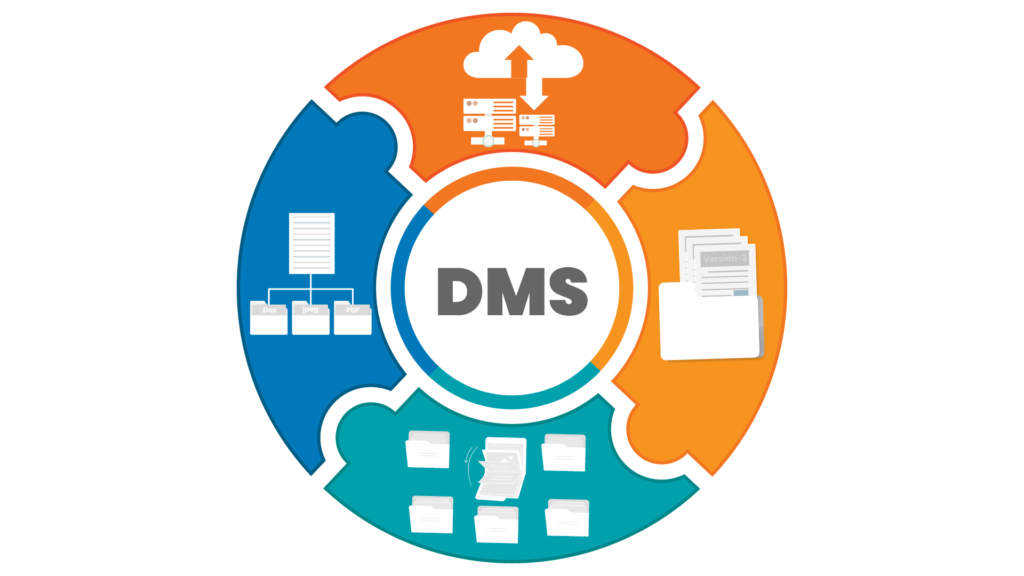
If you’re looking for a next gen enterprise document management system software for voluminous archival, indexing, retrieval, and versioning with extensive integration capabilities using APIs, ServoDocs might be the perfect fit for your team.
It’s already trusted by 50+ Banks, NBFCs, and financial institutions, so you know it meets the strict regulatory requirements you require. ServoDocs is user-friendly DMS packed with features for fast search, sequential record log access, security and encryption capabilities, version control, access control, user compliance, and parallel read-write.
ServoDocs document management solution also offers AI features for document detection. With AI-powered optical character recognition, teams can identify, categorize, and classify docs seamlessly. Plus with Gen AI powered Aadhar Masking, ServoDocs empowers NBFCs and Bank customers to eliminate manual errors and enhance security in document processing.
M-Files is a robust document management solution designed to improve knowledge work automation by streamlining processes and improving efficiency. It addresses all facets of document handling, from creation and workflow automation to secure external collaboration, enterprise search, and compliance.
It comes with a built-in workflow engine that takes care of repetitive tasks like getting documents approved and sending notifications automatically. Plus, it integrates seamlessly with Microsoft apps, making real-time collaboration a breeze.
DocuSign is a contract lifecycle management solution that centralizes the entire lifecycle of contracts, i.e. right from its creation to execution. It’s best for organizations that require management and automation of contracts and agreements.
It comes packed with features you’ll actually use. This includes features for document generation, workflow automation, real-time collaboration for users, and robust administrative controls. Even better, it consolidates document editing, sending things out for e-signature, and managing external reviews all in one smooth process.

DocuWare is a smart digital document control software designed to help organizations streamline processes and seriously boost efficiency. It gives you the core tools you need: secure storage, intelligent document processing, super-fast search features, and customizable workflows.
One of the best things about DocuWare is its flexibility. Teams get to choose exactly how they want to use it, whether they prefer a cloud-based setup or an on-premises solution, depending on existing tech and security needs.
Currently, DocuWare serves over 930,000 users and 20,000 customers spread across more than 100 countries, all backed by a strong network of 800+ partners.

Dealing with contracts and agreements can be a drag, right? Signify can change that. It’s a digital platform that manages, automates, and tracks all your documents in one spot.
It can streamline your entire document management lifecycle, from sending that first draft and getting it signed, all the way to organizing and archiving everything securely.
Signify brings together the essentials: e-signatures, smart workflow automation, a shared team space, and an easy-to-search archive. You can set specific signing orders, assign roles, use structured templates for consistency, and control access with team permissions.

If your enterprise is seeking a powerful, AI-powered document control software to intelligently manage documents and automate mission-critical processes, Laserfiche is an excellent option.
It comes equipped with everything an enterprise might need: robust workflow automation, intelligent electronic forms (e-forms), and no-code tools for rapid process configuration. To ensure trust and compliance, it also provides granular security controls and comprehensive audit trails.
Laserfiche also offers extensive integration capabilities, ensuring a seamless flow of information with existing business applications, which enables enhanced efficiency, collaboration, and data governance. Currently Laserfiche is powering enterprises across demanding sectors like government, finance, and education.

Zoho Workdrive (previously called Zoho Docs) is a comprehensive content management platform utilized by over a million business. It’s designed for modern teams, be it small or enterprise level and offers secure file storage, smooth collaboration features, and strong automation capabilities.
Workdrive also supports remote work via detailed access statistics, dedicated mobile apps for Android and iOS, and a desktop sync application.
And the best document management system for your enterprise needs can easily be finalized via a capability and scope analysis of listed solutions. For instance:
Remember, the right document management system software will be the one that not just streamlines your document control processes but also empowers your team to work smarter, faster, and ahead of your customers.
More than 50+ enterprises use ServoDocs to streamline and automate document management. Let’s discuss how it can be integrated in your business ecosystem for the best results.
FAQs on Enterprise Document Management System
As an enterprise DMS built for regulated workloads, ServoDocs offers deeper API integrations, extensive archival, audit trails, and data masking suited for BFSI in India—making it a stronger fit for core banking, lending, and compliance integration than M‑Files, which excels at metadata classification but is more general-purpose.
Laserfiche EDMS Software generally offers more flexible workflow automation for complex processes, while DocuWare DMS provides stronger out-of-the-box search. For custom workflows + automation, Laserfiche is stronger; for simpler setup + fast search, DocuWare edges ahead.
On‑prem document management system gives maximum data control and sovereignty since everything stays internal. Hybrid document management system on the other side offers strong control + remote flexibility (audit internal, collaborate cloud). For India audit-heavy orgs, Hybrid is more practical, On-prem is most controlled.
Several DMS platforms provide strong AI capabilities, but ServoDocs includes advanced built-in features tailored for enterprise needs. It offers AI-powered data capture (OCR), automatic classification, document intelligence, color correction, and auto-version detection, enabling teams to digitize, index, and retrieve documents faster. ServoDocs also supports AI-driven metadata tagging and large-scale archival automation, ensuring users always access the latest approved version.
BFSI organizations in India should prioritize a document management system that ensures data protection, access governance, and audit resilience. Look for end-to-end encryption (at rest and in transit), role-based access control (RBAC), multi-factor authentication (MFA) via apps like Microsoft Authenticator, and single sign-on (SSO) integration through identity providers such as Azure Active Directory. The system should also support document control with version integrity, Aadhaar/PAN masking, tamper-proof audit logs, and secure backups on storage services like Amazon S3 or private datacenters. For added compliance rigor, ensure session controls, IP/device restrictions, data retention, and disaster recovery are built into the DMS security framework.
Innovate, simplify, and expand with cutting-edge process automation solution.
Servosys Solutions is a unit of EML Consultancy Services Private Limited, a company headquartered in New Delhi, India. We are one of the fastest-growing providers of software products and technology services for business process automation solutions that address challenges like process turn-around time, organizational productivity, regulatory compliance, business scalability, operational visibility and excellence.
Adding {{itemName}} to cart
Added {{itemName}} to cart